Spond: Sports Team Management
- 4.8
- Rating
- 1.00M
- Installs
- Free
- Price

 Analysis by App-foxy
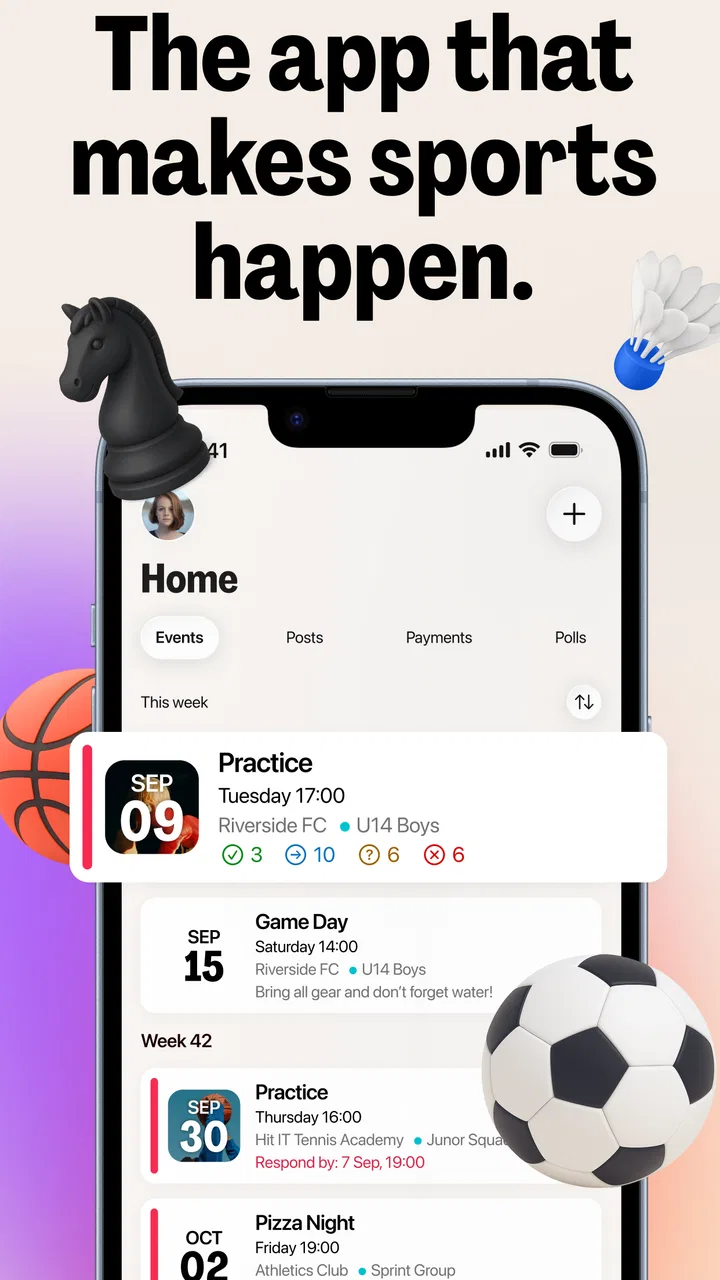
Managing a sports group sounds simple until the messages start multiplying. One person posts a training change, another asks who is available, a parent replies in a separate chat, and the coach later has to rebuild the attendance list from memory. I found Spond most useful when I treated it less like another social feed and more like a shared noticeboard for a team, club, or recurring group. Its purpose is clear: keep activities, communication, and member responses in one place.
That focus makes it appealing for coaches, volunteers, parents, and players who are tired of relying on ordinary messaging apps. Spond is a free sports app from Spond AS, available to everyone from a content-rating perspective, and it has grown to more than a million installs. I also noticed that its strong average of 4.8 from roughly twelve thousand ratings reflects a real strength: once a group is organized properly, routine coordination becomes much easier to follow.
My experience was not completely frictionless, though. The difficult part is usually not tapping through the app itself. It is getting every member into the correct group, making sure people understand where to respond, and recovering gracefully when someone misses an update. That is why I would recommend approaching Spond as a team workflow rather than expecting it to solve disorganized communication automatically.
You May Also Like

 Blood Strike: 2.5 Anniversary
Blood Strike’s Loadouts Turn Every Drop Into a Tactical Gamble
A close look at Blood Strike’s custom loadouts: how fast access to signature weapons reshapes its battle royale rhythm, rewards preparation, and narrows the gap between fights.

 Pandora - Music & Podcasts
Pandora’s Music Is Easy to Start, but Harder to Recover
Pandora’s strength is its low-effort path from a seed to a station. Its weak spot is how much confidence it asks you to place in connection, setup, and quiet recovery.

 8 Ball Pool
 Is Built on Rivalries, Rematches, and Routine
A close look at the rivalries, rematches, shared routines, and unanswered safety questions that turn a quick pool match into a persistent mobile community.

 Samsung Music
’s Quiet Strength Is Playing What You Already Own
Its reach comes less from spectacle than from dependable access to a personal library. That simplicity is both the app’s strongest retention engine and its ceiling.

 AccuWeather: Weather Radar
AccuWeather Review: A Quick, Clear Forecast for Everyday Decisions
For everyday plans, the best forecast is the one you can understand quickly. AccuWeather makes rain timing, radar, and local conditions easy to act on, with a few trade-offs.

 Hill Climb Racing
Why Hill Climb Racing Still Turns Crashes Into One More Run
A tiny car, a bumpy hill and one more upgrade: Hill Climb Racing keeps resurfacing because its simple chaos makes every near-miss feel personal.
More From Our News Desk



Where people usually get stuck
I’ve found that the first snags usually come from unclear expectations rather than a complicated screen: members may not know which group to check, who should answer for a child, or where a decision becomes official. In this section, I’d focus on spotting those small coordination gaps before they turn into missed updates, then move on to a few setup checks that make the routine easier to follow.
The first challenge is group structure
The biggest source of confusion is deciding who should belong to which group. A club may have several age levels, squads, training sessions, or volunteer roles. If everything is placed into one large stream, important messages can become difficult to notice. If the group is split too aggressively, families may need to monitor several places and can miss an activity that applies to them.
I found it helpful to think in terms of recurring responsibility rather than just membership. A player who attends one squad should not necessarily be treated the same way as a parent who coordinates transport for several children. Before inviting everyone, decide which people need event information, which people need to answer attendance requests, and which people only need occasional announcements. That small planning step prevents a lot of later cleanup.
This is also where Spond differs from a normal group chat. In a chat, a new person can scroll through old messages and ask what is happening. In a team-management app, the important information should be attached to the relevant activity or group conversation. If your members continue replying through private messages, the app cannot give you a reliable picture of availability.
Invitations do not replace orientation
Adding members is only half the job. People need to know what an invitation means, where they should respond, and whether a parent is answering for a child or for themselves. I would send a short plain-language instruction alongside the invitation: check the upcoming activity, respond there, and use the group conversation for questions that affect everyone.
That explanation matters especially for mixed groups. A young player, a parent, and a coach may all interact with the same activity differently. If nobody agrees on who is responsible for the response, the organizer can end up with duplicate answers or no dependable answer at all. Spond can centralize the information, but the club still has to establish a simple rule for participation.
Notifications can create false confidence
It is tempting to assume that every change has been seen because it was posted in Spond. In practice, a person may have notifications muted, may not have opened the relevant activity, or may be looking at an older message. For time-sensitive changes, I would not rely on the app alone. A short direct reminder may still be sensible when training moves location shortly before it begins.
This is not a weakness unique to Spond. It is a limitation of digital coordination in general. The useful distinction is between the app as the official record and another channel as an emergency alert. Keeping that distinction clear avoids the common problem where half the team follows the app and the other half follows scattered chat messages.
Setup checks that prevent avoidable problems
A brief setup review can prevent organizers from having to untangle duplicate replies or rebuild a group after launch. I’d pay particular attention to whether the right people can find and respond to a sample activity, and whether the group has a shared idea of what belongs in the app. Once those basics are clear, the next section looks at how I’d restore order when a workflow still goes off track.
Start with a small test group
Before moving an entire club into a new system, I would create one practical test with the people who organize activities. Add a coach, a parent, and a player if appropriate, then create a sample activity and ask each person to respond. This reveals misunderstandings earlier than a full launch does.
The test should answer several everyday questions. Can the organizer identify who has responded? Can a member find the activity without searching through unrelated conversation? Does the person answering on behalf of a child know which identity they are representing? If the answers are unclear, changing the group structure is easier before dozens of invitations have been accepted.
Check the basics before blaming the app
When a member says an activity is missing, I would first check the simple causes: the person may be in a different group, the activity may have been created for another squad, or the member may be viewing the wrong account or profile. A stale app session can also make a recent change appear absent. Closing and reopening the app, checking the connection, and ensuring the current version is installed are reasonable first steps.
The current Android version is 4.56.1, and the app supports Android 7.0 and later. That makes compatibility fairly broad, but an older device can still behave differently if its operating system is outdated or its storage is nearly full. I would check the operating system before spending time rebuilding an entire event.
For iPhone users, the same principle applies even though the operating-system requirement is expressed differently in the store environment. Check that the device is online, that the app has been updated through the normal store process, and that the user has completed the intended sign-in or invitation path. These are ordinary checks, but they solve more real problems than repeatedly sending the same invitation.
Use clear activity names
A non-obvious improvement is to make every activity identifiable without opening it. “Training” is not enough for a busy club. Include the squad or purpose in the name, such as the age group, match type, or volunteer duty. This reduces the chance that a parent confirms the wrong event and makes later review much faster.
I would also avoid putting several unrelated instructions into one activity description. Keep the essential information together: what the activity is, where it happens, and what response is needed. Put broader discussion in the group conversation. When every detail is mixed into one long note, members can miss the one sentence that matters.
Agree on a response deadline
Spond is most useful when attendance information is collected early enough to act on. A coach who needs to arrange teams, equipment, or transport cannot work with vague answers arriving at random. The app can gather responses, but the organizer should state when replies are expected and what happens if someone does not answer.
This is one of the practical trade-offs of using a structured app instead of a chat. It asks the group to follow a process. That small amount of discipline may feel slower during the first week, but it is much clearer than counting thumbs-up reactions spread across dozens of messages.
Recovering a workflow when something goes wrong
When confusion does happen, my first move is to identify whether the problem is the activity, the response, or the member’s view of the group before changing anything. That distinction helps avoid duplicate events and competing instructions. The next section considers how to tell a genuine app issue from a problem caused by accounts, devices, connectivity, or the team’s own communication habits.
Separate a missing response from a missing activity
When someone says, “I cannot see it,” I would not immediately recreate the activity. First determine whether the activity is invisible, whether the person can see it but has not responded, or whether the response was sent under a different participant. These situations look similar from the organizer’s perspective but require different fixes.
Recreating an activity too quickly can make matters worse. Members may respond to both copies, and the organizer then has two incomplete attendance lists. A better recovery process is to identify the original activity, send one clear instruction, and use a replacement only when the original genuinely cannot be used. If a duplicate has already been created, tell everyone which one is authoritative.
Recover from a late change without losing the record
Weather cancellations and venue changes are common in sports. My preferred workflow is to update the relevant activity or group information first, then post a concise message explaining the change. The message should say what changed and what members need to do, rather than repeating a long background story.
For a major change close to start time, I would combine the in-app update with a direct alert to the people most affected. That does not undermine Spond; it recognizes that an official record and an urgent warning serve different purposes. After the immediate issue is handled, keep the final decision visible in the app so late readers do not rely on an outdated private message.
Deal with people who use several communication channels
Most teams will not abandon every existing chat immediately. Some parents will continue asking questions elsewhere, and some coaches will send quick reminders by text. Rather than fighting that reality, establish one rule: decisions and attendance belong in Spond, while emergency contact can happen elsewhere.
This is one of the most important practical insights I took from using the app. The tool works best when it is the source of truth, not when it becomes one more place to copy every conversation. If a decision is made in a private chat, transfer the final outcome into the relevant group or activity. Otherwise, future organizers will have no dependable history.
Keep a short recovery message ready
When several people are confused, writing a new explanation for each person wastes time. A reusable team message can say: the latest activity is the official one, please respond there, and contact the organizer directly only if the activity is not visible. This is not a feature trick; it is a simple operational habit that keeps the group from branching into multiple explanations.
I would also ask members to describe the exact problem instead of saying only that the app is broken. “I cannot see the Saturday activity” is actionable. “It does not work” is not. That small change in wording helps the organizer distinguish account, group, connection, and event problems.
When the app is not the cause
Not every missing update means the app has failed; sometimes a person is in the wrong group, using a different account, or relying on a message sent elsewhere. I’d check those possibilities calmly before repeating an invitation or changing an activity, since rushed fixes can make the record harder to trust. From there, the final section weighs whether the app suits the group’s actual needs.
Account and invitation confusion
Some apparent failures are really identity problems. A parent may accept an invitation with one account and later open another. A family may have several children connected to the same household but respond for the wrong person. An organizer may also assume that an invitation was accepted when it is still waiting for action.
The safest response is to slow down and verify the person, group, and activity involved. Avoid deleting and recreating everything as a first reaction. A clean membership list is more valuable than a rushed reset, particularly in a club with many age groups.
Network and device limitations
A poor connection can make a recently changed activity appear unchanged, especially when someone is moving between home, school, and a sports venue. If the app behaves inconsistently, try a different connection and reopen it before concluding that the organizer’s update failed. On an older device, freeing storage and installing system updates can also help.
These checks sound basic, but they protect the group from a damaging habit: changing the event repeatedly because one person has not received the latest state. The organizer should confirm the official activity once, then troubleshoot the individual view.
Human process is often the real bottleneck
Spond cannot decide whether a training session should be cancelled, who is responsible for transport, or whether a player has actually committed to attend. It can make those decisions easier to communicate, but the club still needs clear ownership. If nobody is assigned to maintain the group, outdated activities and unanswered questions will accumulate in any app.
This is where I would be honest about the audience. Spond is a good fit for groups willing to adopt a shared routine. It is less suitable for a casual group that only needs occasional one-line messages and does not want to manage membership, responses, or activity details. A basic chat may be quicker for a handful of friends arranging a single game.
Where alternatives can be better
Compared with ordinary messaging apps, Spond offers a more organized approach to recurring sports administration. A chat is familiar and fast, but attendance replies can disappear into the timeline. A shared calendar is excellent for dates, yet it usually does not provide the same group-centered conversation and response habit. A club-management platform may offer deeper administration, but it can feel excessive for a small team that mainly needs communication and coordination.
My choice would depend on the group’s complexity. For one informal weekly game, use the simplest tool everyone already understands. For several teams, regular activities, and parents who need a dependable place to check updates, Spond is more convincing. The trade-off is that the organizer must invest time in setup and explain the workflow.
My practical verdict after using it
The strongest part of Spond is not a flashy feature; it is the way it gives a sports group a shared place to organize routine activity. I can see why the app has earned a 4.8 average and around twelve thousand ratings. When the group uses activity responses consistently, the organizer spends less time searching old messages and more time making decisions from a clearer picture.
The free price also lowers the barrier for volunteer-led teams and families who do not want another paid subscription. Spond AS has kept the basic proposition straightforward: create a group, bring members together, and coordinate what the group is doing. Its release history reaches back to June 15, 2017, so it is not a brand-new experiment, and the current version shows that the product continues to be maintained.
Still, I would not install it and expect instant order. The first week should be treated as a small change-management project. Choose the group structure, test an activity, explain who responds for whom, and decide which channel is used for urgent notices. Those steps matter more than any individual screen because they determine whether members actually trust the app as the team’s main reference point.
For a coach managing attendance across a busy season, a parent following several activities, or a club volunteer tired of scattered conversations, I would recommend giving Spond a serious try. The most useful habit is to open the activity itself before asking questions elsewhere. That keeps responses attached to the right event and makes later follow-up much easier.
I would skip it for a tiny informal group that dislikes structured coordination, or for an organization looking for a complete finance, registration, or club-administration system rather than a sports communication tool. It is also not a substitute for urgent contact when a last-minute safety or travel issue affects only one person.
Overall, Spond succeeds when the team agrees to use it deliberately. The real benefit is not simply fewer messages; it is fewer uncertain messages. With clear naming, sensible membership, one official response location, and a calm troubleshooting routine, it becomes a practical companion for everyday sports organization. For teams prepared to establish that routine, I would recommend it to a friend without hesitation.
Its Everyone age rating makes it approachable for broad family and club use, while support for Android 7.0 and later keeps it accessible on many devices. Just remember that accessibility is not the same as automatic simplicity: the organizer’s habits still shape the experience. Used thoughtfully, this free app is a strong choice for keeping a team informed, accountable, and moving in the same direction.
FAQs for Spond: Sports Team Management
01What is Spond and how does it help in sports team management?
Spond is a comprehensive app designed to streamline sports team management by offering features such as scheduling, communication, and attendance tracking. It enables coaches, players, and parents to stay organized, share updates, and manage team activities efficiently. The app supports notifications and reminders, ensuring everyone is informed and on the same page.
02Is Spond free to use, and are there any hidden costs?
Spond is free to download and use, providing core features without any subscription fees. It does not have hidden costs, which makes it accessible for teams of all sizes. However, it’s always wise to check for any optional premium features or in-app purchases that might be introduced in future updates.
03Which platforms does Spond support, and is there a web version available?
Spond is available for both Android and iOS devices, ensuring compatibility with a wide range of smartphones and tablets. Additionally, there is a web version available, allowing users to manage their teams from any device with internet access, offering flexibility and convenience.
04Can Spond handle multiple teams and sports?
Yes, Spond is designed to manage multiple teams and various sports. Users can easily switch between teams, manage different schedules, and customize settings for each sport. This makes it ideal for coaches or managers who oversee multiple teams or sports activities, all from a single app.
05How secure is the data shared on Spond?
Spond takes data security seriously, implementing robust encryption and privacy measures to protect user information. The app ensures that all communications and data shared within teams are secure. Users can feel confident that their personal and team data are safeguarded against unauthorized access.
Pros
- User-friendly interface
- easy to navigate.
- Real-time messaging enhances communication.
- Free to use with no hidden costs.
- Supports multiple languages for inclusivity.
- Streamlined event scheduling and reminders.
Cons
- Limited customization options for teams.
- Occasional syncing issues reported.
- No offline mode available.
- Lacks advanced analytics features.
- Some features require internet access.

Spond: Sports Team Management
Gallery